
BSC — perspectives and objectives
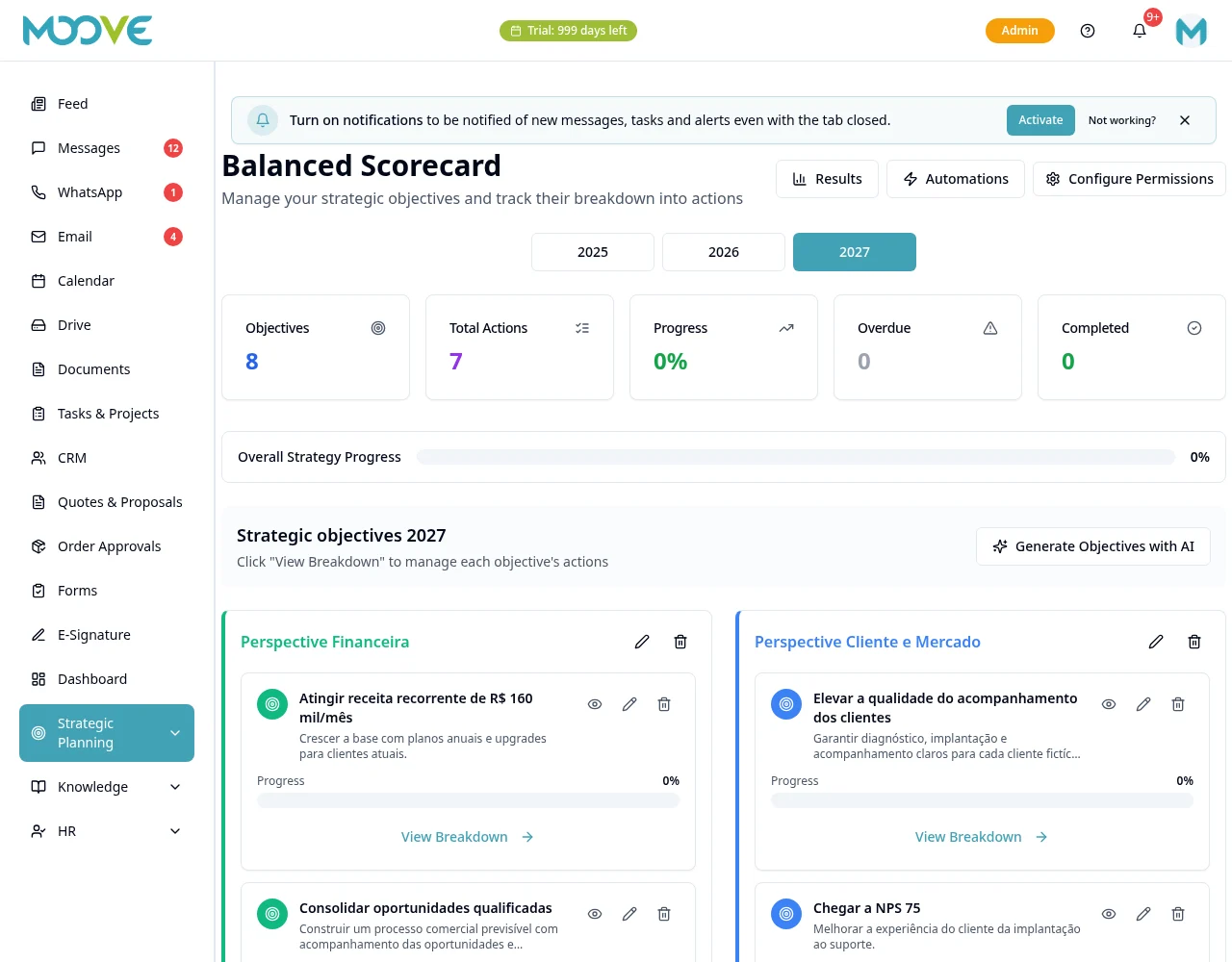
Purpose
Organize intended results and owners without requiring a minimum operating history.
Before you start
Step by step
- 1
Open Planning → BSC and select the period/year offered.
- 2
Prepare perspectives and use the objective creation control in the right perspective.
- 3
Enter Objective Title, Description, KPI (Indicator), Target, Owner and Deadline as the form requires.
- 4
Set priorities and the links offered before confirming.
- 5
Open the objective/breakdown to organize tracking and related actions.
- 6
Review BSC create, edit and view permissions per person.
- 7
Track results and keep objectives/targets consistent; do not create universal status ranges in the Manual text.
Available controls depend on your user permissions and organization settings. If an option is missing, ask the administrator to check your module access.