
CRM pipelines and stages
Purpose
Organize stages and visibility before distributing deals to the team.
Before you start
Step by step
- 1
Open CRM → Settings → Pipelines and use New Pipeline.
- 2
Enter a name, description and color; define deal visibility using the screen's options.
- 3
Select the profiles/users authorized for the pipeline and save.
- 4
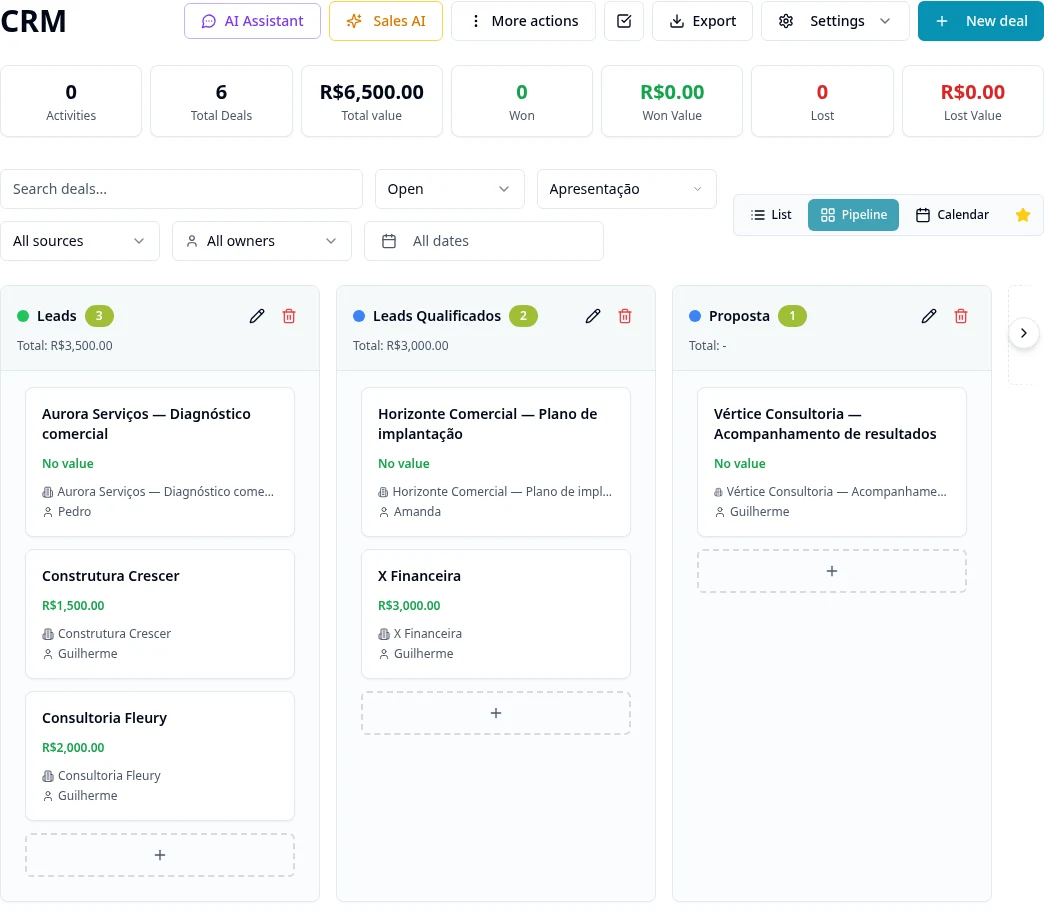
In the pipeline, create and order stages using the CRM stage actions.
- 5
Configure the outcome types for final stages and Loss Reasons in the corresponding settings.
- 6
Open pipeline permissions to review access and visibility exceptions.
- 7
Create/open a deal, check the customer, assignee, amount and stage, and record activities.
- 8
Use CRM filters and views to monitor progress; after deletion, check Trash and its authorized actions rather than creating a new deal to replace one deleted by mistake.
Available controls depend on your user permissions and organization settings. If an option is missing, ask the administrator to check your module access.