
Collaborative documents
Purpose
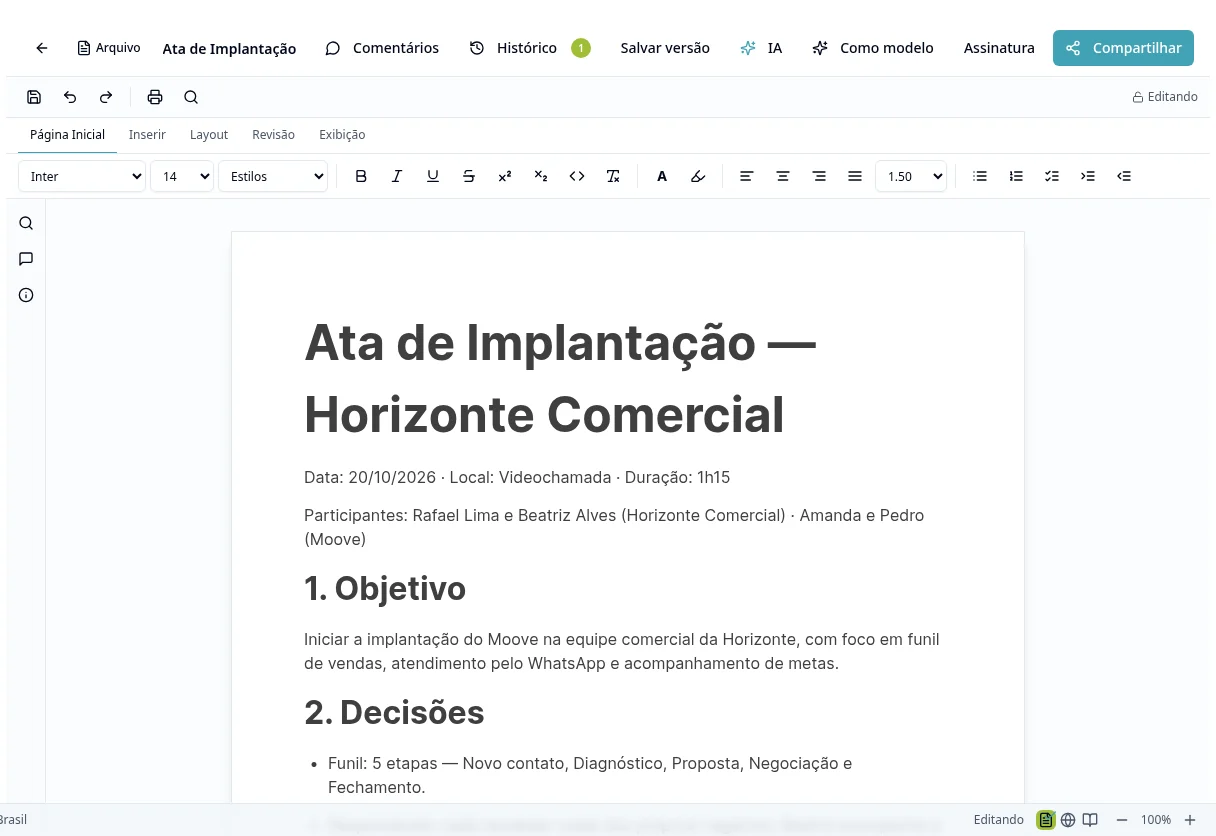
Create text with defined access and check saving and versions before sharing.
Step by step
- 1
Open Documents and create a new document using the available control.
- 2
Give it a title and organize content with the headings, lists, tables, images and links offered by the editor.
- 3
Check the save indicator before closing or switching documents.
- 4
Use sharing controls and check who can view or edit.
- 5
During collaboration, respect the document's editing/occupancy indicators; do not assume several users can safely overwrite the same paragraph.
- 6
Use History and Save Version to record and review versions; also check comments and available export actions.
- 7
For external publication, choose the access mode offered by the screen and check the link before sending it.
Available controls depend on your user permissions and organization settings. If an option is missing, ask the administrator to check your module access.