
External AI — connect Claude or ChatGPT
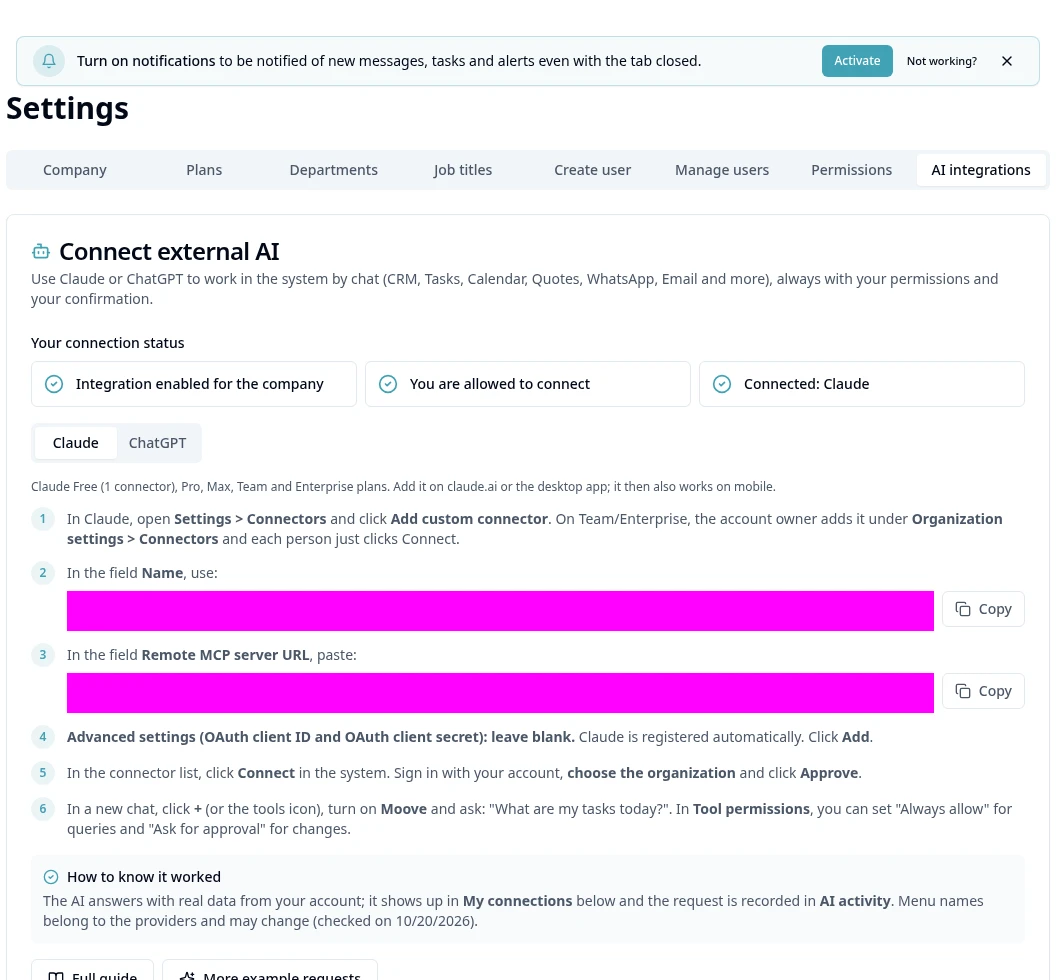
Purpose
Authorize your own account and choose the right organization.
Before you start
Step by step
- 1
In AI Integrations, follow the instructions tab for the chosen provider and copy the connection address from the screen.
- 2
In Claude, open Settings → Connectors and add the Moove custom connector; in a team account the external administrator may need to add it.
- 3
In ChatGPT web, follow Apps and connectors and Developer mode according to the tab's current instructions.
- 4
Use the indicated authentication and leave client ID/secret blank when instructed.
- 5
Connect, sign in with your Moove account and check the organization before Approving.
- 6
In a new conversation, enable Moove and ask for a simple query, such as your tasks.
- 7
Check My connections and AI Activity on screen; external providers' menus/plans may change.
- 8
Revoke the connection in the same area when you no longer want access.
Available controls depend on your user permissions and organization settings. If an option is missing, ask the administrator to check your module access.