
Quote templates, pricing and sending
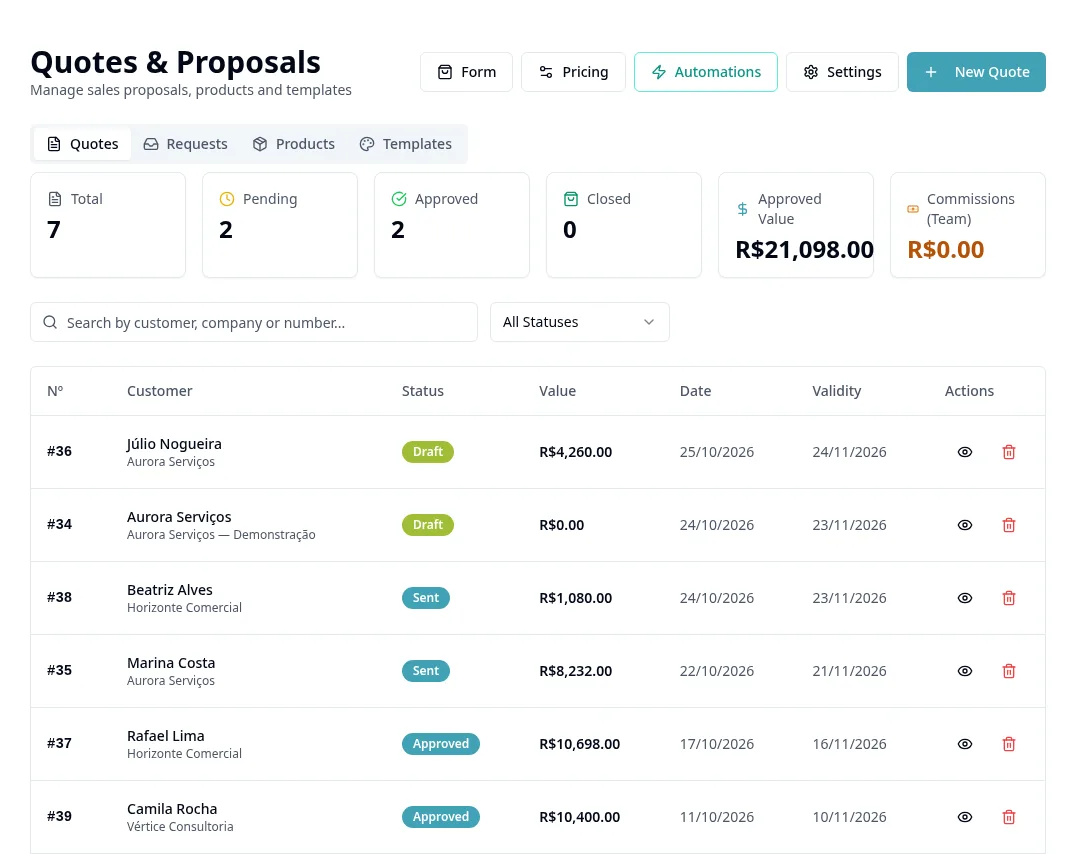
Purpose
Standardize proposals and check calculated amounts before sending them.
Before you start
Prices are calculated by the app's rules. Dynamic Knowledge Base content is frozen when the proposal is created; reviewing the template does not automatically change existing proposals.
Step by step
- 1
Open Quotes → Templates and create/edit the appropriate template.
- 2
Choose a list or visual proposal and review sections, visible data and template terms.
- 3
Open Pricing and configure only available criteria with company-approved values.
- 4
In reverse composition, review the calculation base and margin; the breakdown is internal, not a promise of costs shown to the customer.
- 5
Configure CRM linking if you want to create deals automatically: choose Default Funnel and Default Stage.
- 6
Use New Quote, select the customer, items and template, and check quantity, price, total and validity.
- 7
Review the proposal and link/PDF/send actions in the record before forwarding it to the correct recipient.
- 8
In Requests, monitor responses and use Set Prices when available.
- 9
Monitor the quote status in the list; do not confuse template changes with editing proposals already created.
Available controls depend on your user permissions and organization settings. If an option is missing, ask the administrator to check your module access.