
External AI — enable per user
Purpose
The administrator enables the integration and operations; the AI remains limited to the person's own access.
Before you start
Step by step
- 1
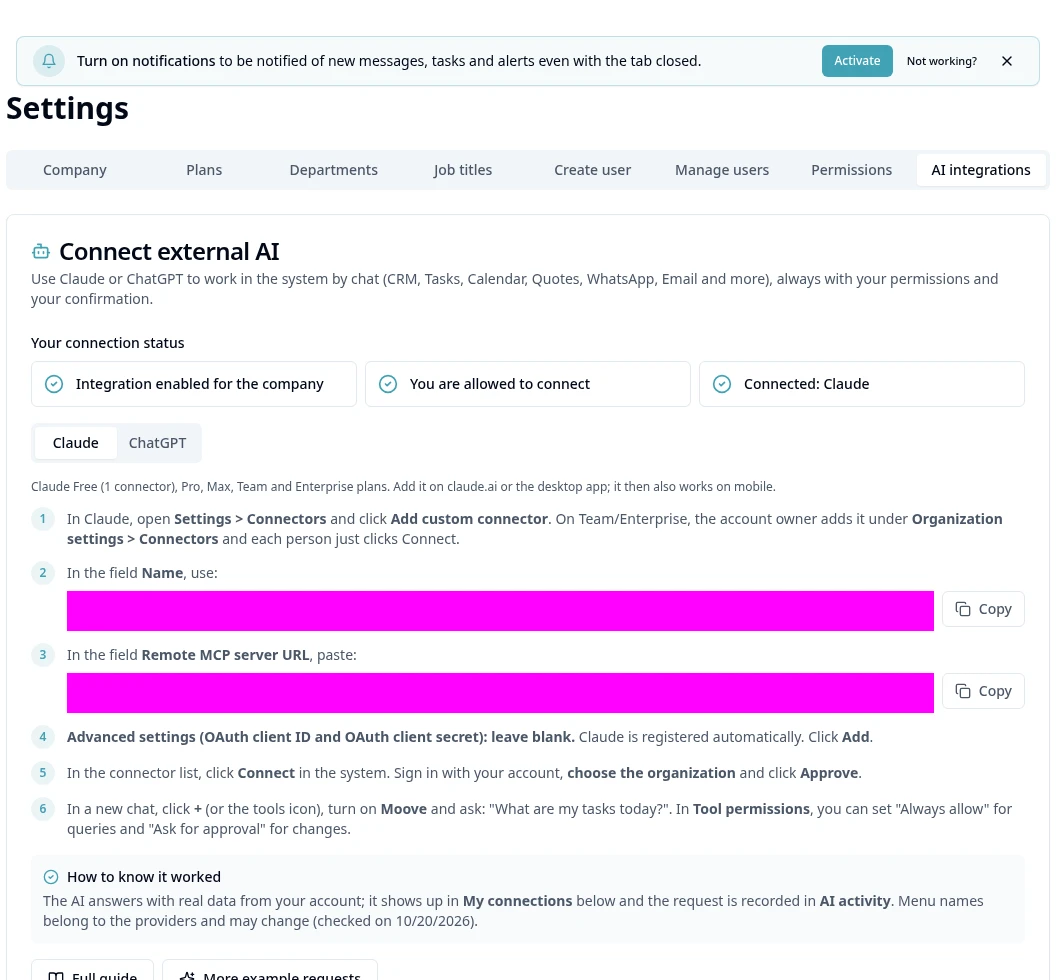
As an administrator, open Settings → AI Integrations.
- 2
Check Your connection status and the Administration area.
- 3
Turn on the organization integration if you want to make it available.
- 4
In AI Permissions, enable the people and operations needed (settings, automations and deletion are additional permissions).
- 5
Save and check the response before guiding the connection.
- 6
AI permissions do not replace module access and cannot be expanded by the AI itself.
- 7
Review data sent to the chosen provider; do not use external AI for data the person cannot access.
Available controls depend on your user permissions and organization settings. If an option is missing, ask the administrator to check your module access.