
Product Catalog in Quotes
Purpose
Prepare the products and services used in proposals with real prices and costs.
Step by step
- 1
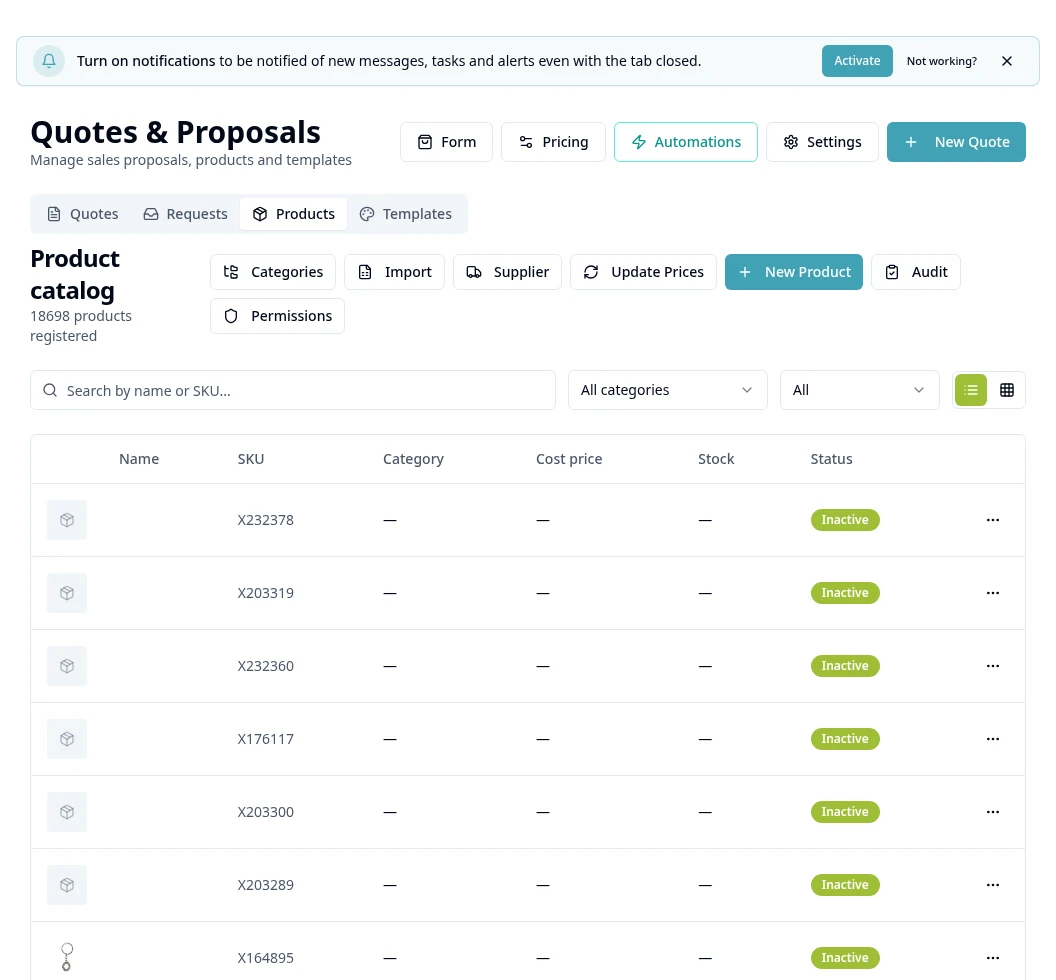
Open Quotes → Products: this tab contains the Product Catalog.
- 2
Use New Product / Add Product and complete the available form.
- 3
Organize categories and check the item's commercial details, images and actual amounts before saving.
- 4
Use Import to upload the spreadsheet through the Catalog workflow; follow that screen's template and validations.
- 5
Check imported items using search/filters; review rejected rows before retrying.
- 6
To bring in supplier items, use Supplier and follow the next chapter.
- 7
When preparing a quote, check the items and amounts calculated by the rules; the assistant does not set prices.
Available controls depend on your user permissions and organization settings. If an option is missing, ask the administrator to check your module access.