
Time Tracking — employees, schedules and timesheets
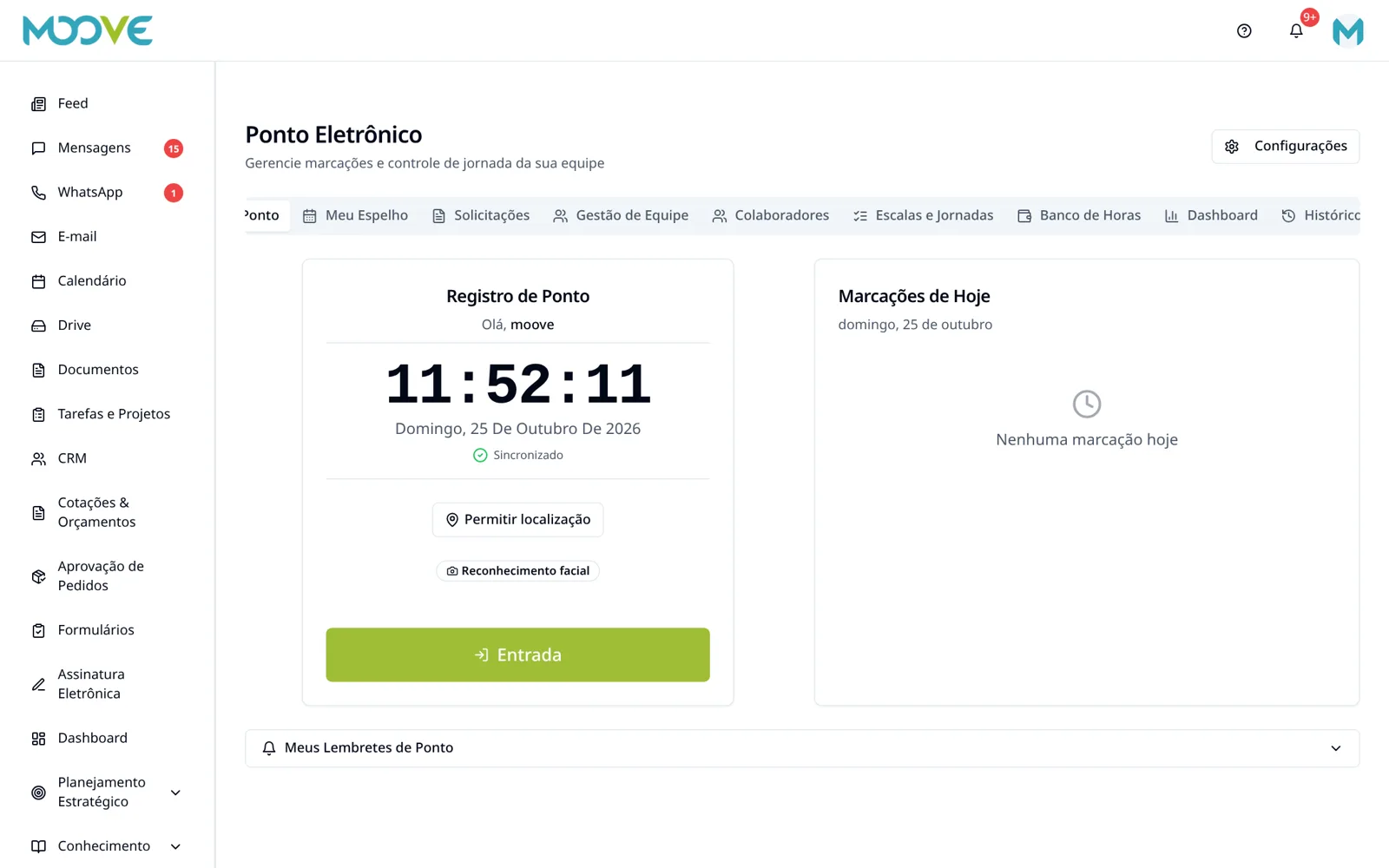
Purpose
Prepare the actual schedule and check records and history by period, including inactive people.
Before you start
Configure the schedule and agreements with HR/accounting and the applicable rules. Do not use made-up tolerances or this Manual as a guarantee of absolute legal compliance.
Step by step
- 1
Open Time Clock → Employees and check the registration and link of people subject to working-hours control.
- 2
In Shifts/Schedules → Work Shifts, use New Shift and configure the schedule as the form requires.
- 3
Review Geofences, Holidays and Leaves when used in the organization.
- 4
Assign/configure the employee's schedule through the corresponding flow before calculating.
- 5
In My Time Clock, the employee records/checks their own entries following the requirements shown.
- 6
In Timesheet, select employee and period and check punches, occurrences and balance; use the report/signature actions offered.
- 7
In Requests/Management, review corrections and justifications through authorized actions, preserving the original record.
- 8
Filter Active, Inactive or All to check history and reports; deactivation must not be used to delete punches.
- 9
Use History and Dashboard to follow up; shifts and settings do not replace checking occurrences.
Available controls depend on your user permissions and organization settings. If an option is missing, ask the administrator to check your module access.