
Tasks — assignees, statuses and deadlines
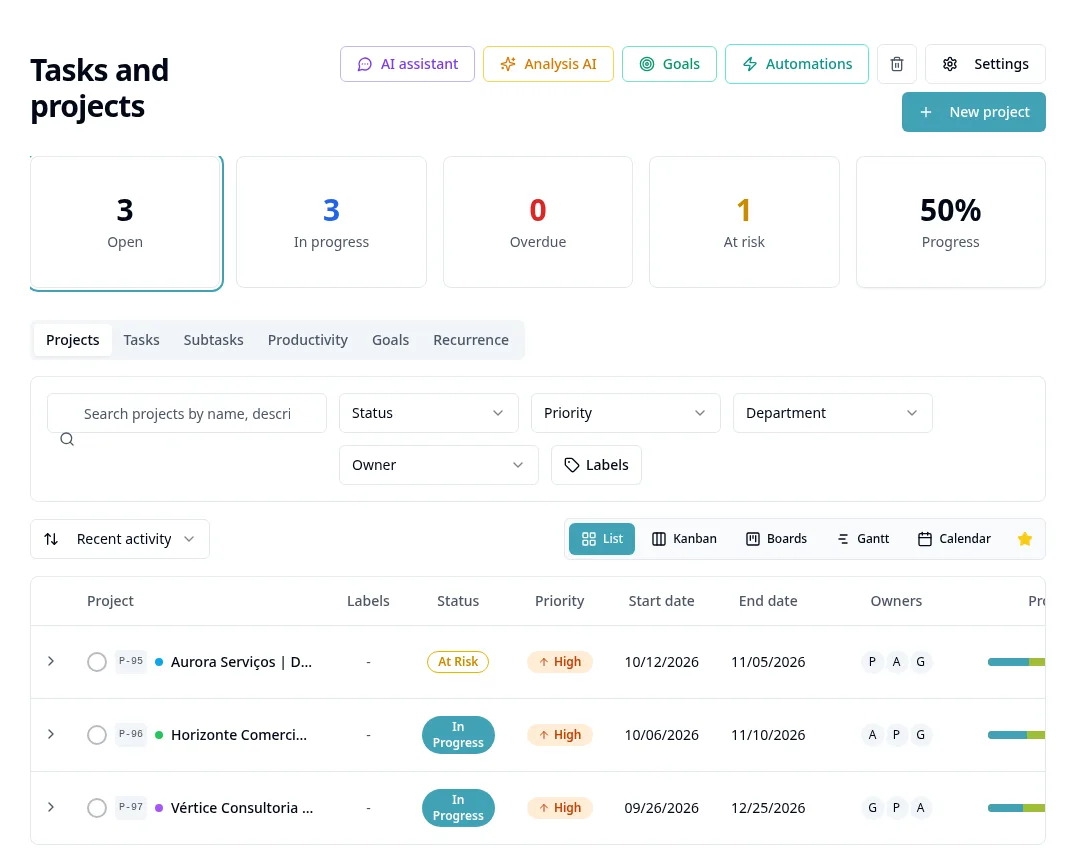
Purpose
Record work with an assignee and deadline and track its execution.
Step by step
- 1
Open Tasks and Projects and select the task view.
- 2
Create the task with a title, assignee, deadline and any other fields requested by the form.
- 3
Add a description/checklist and necessary materials using the task options.
- 4
Use List or Kanban to track work, depending on the available view.
- 5
Available statuses are To Do, In Progress, Waiting, In Review, Completed and Canceled. Deadline or overdue warnings appear separately from the status.
- 6
Open the task for comments, attachments and progress; check access before sharing.
- 7
Mark Completed when delivered and Canceled when it will not be executed; use filters to review history.
- 8
Configure automations in their dedicated chapter after defining actual events and actions.
Available controls depend on your user permissions and organization settings. If an option is missing, ask the administrator to check your module access.